





Wowflux: AI-Powered Image Processing Platform for E-Commerce
Context & Problem
Results & Impact
Before AI image processing became standard, we built a tool that automated product photos at scale — years ahead of its time.
Exponential Processing Speed: 20 images in 5 seconds, 200-image bulk processing, automation halved setup time
Workflow Efficiency: Sellers could process images, track progress, and download outputs without manual intervention
Trust & Adoption: Live previews and manual override options enabled non-technical sellers to confidently use AI automation
Design Leadership: Delivered two fully functional products in 10 months from 0-1, creating a unified, professional, and reliable interface for AI-powered workflows
My Role
When I joined Wowflux, the AI/ML backbone already existed; a fast, powerful engine capable of processing thousands of product photos in minutes. However, it lacked a human face. As Head of Design, I shaped products across e-commerce and AI automation ecosystems, making machine intelligence feel human, approachable, and trustworthy.
I led a team of four designers, collaborating closely with data scientists and developers to transform complex automation into seamless workflows. I oversaw both product and marketing design, crafting everything from UX systems to launch identity.
Research & Discovery
To make complex AI/ML workflows usable and trustworthy, I combined internal insights with external validation:
In-house Insights: Interviewed 6 internal image editors over 2 weeks to understand their preferred workflows and pain points.
Information Architecture: Conducted a card-sorting exercise with my team to organize screens and features logically.
Vendor Feedback: 7 External stakeholders (e-commerce vendors) helped identify essential app features, priorities, and workflow needs.
Market Research: Reviewed competitors like remove.bg to understand industry norms and identify opportunities to differentiate Wowflux.
I guided my team to synthesize user inputs, which informed the design of both Freeda (desktop) and TrackMySnap (mobile), ensuring features like automation portals, combo generation, and live previews met real-world workflows while remaining intuitive for non-technical users.

Ideation & Design Process
Freeda (Desktop Power Tool)
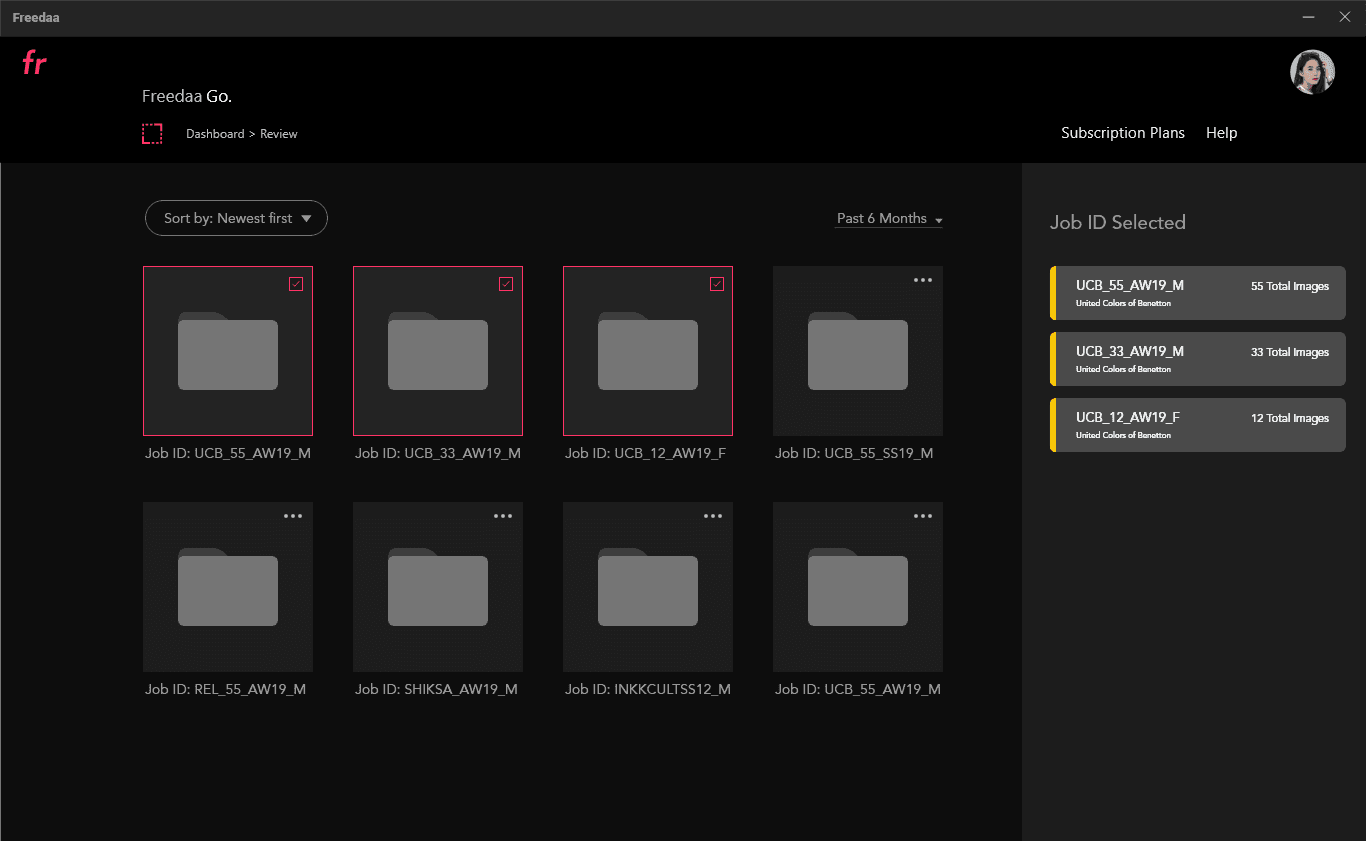
The Wowflux AI engine could already process thousands of images in minutes, but it lacked an interface that made this power approachable and trustworthy for sellers. I led my team to focus on making complex automation feel predictable and human, while maintaining a gradual learning curve and flexible options for different use cases. Insights were drawn from interviews with in-house image editors, card-sorting exercises, and external vendor feedback to guide decisions.
For Background Removal, we designed a drag-and-drop workflow for entire folders, with manual selection as an alternative. Initially, we tried full automation with no manual controls. Early user tests revealed anxiety about AI 'cutting off' products during background removal. We pivoted to transparent AI with live previews, which increased adoption significantly. Output folders were localized for security, but we made it possible to customize names and formats (JPG/PNG). A progress tracker provided transparency into job status, giving users confidence in the process.
The Adaptation Tool allowed resizing, aligning, and padding of up to 200 images at once, tailored to e-commerce specifications. We added a live preview window and the ability to save presets, so workflows could be repeated effortlessly, reducing repetitive configuration and increasing trust in the results.
For combined listings, the Combo Generator reused the upload component from Background Removal for familiarity. Custom margins, automatic cropping, and a Swap A/B button reduced the risk of alignment errors when merging images.
Design Considerations:
Familiar UI patterns from professional editing tools were prioritized to leverage existing user knowledge. Live previews, progress trackers, and sample tests helped build trust in AI. Reusable components and presets reduced manual repetition, and workflows were designed to allow individual functions or full pipelines depending on the user’s needs.

TrackMySnap (Mobile): AI on the Go
Designed for smaller sellers and on-the-go edits, TrackMySnap simplified Wowflux’s AI image processing for mobile. We focused on a lightweight, intuitive interface that let users quickly upload photos, add basic specifications, queue for editing, and download results—all from their device.
Key features:
Quick photo capture with built-in camera controls
Upload multiple images, add specifications, and manage SKUs
Real-time job tracking from Queued → Edited → Completed
Instant downloads on mobile for immediate use
Design Considerations: The UI was deliberately simple compared to Freeda, emphasizing speed, clarity, and minimal learning curve. Familiar patterns ensured confidence in the AI, while keeping mobile workflows efficient for smaller batches.
Design Challenges and Breakthroughs
Trusting the Black Box
There was initial hesitation in adopting the AI model — users had never seen automation this advanced and weren’t sure how much control they’d retain. Many users expressed concerned that the system would “cut off” parts of their products or misinterpret object boundaries. To counter this, we added live previews across every step and let users test a single image before committing to bulk processing. The more transparent the AI became, the faster trust followed.
Cognitive Overload
Our users faced over 50 image specifications from various e-commerce platforms, each with different dimensions and requirements. Setting them up manually for every upload became a cognitive nightmare. We designed a preset system that stored preferred dimensions, retouch settings, and add-ons, dramatically reducing friction and letting users focus on creative quality rather than repetitive setup.
Designing for Two Contexts
The workflow needs on desktop and mobile were fundamentally different. Desktop users demanded power, precision, and multitasking control; mobile users prioritized speed and portability, especially on trade floors and warehouses. Instead of forcing feature parity, we let each platform play to its strength; Freeda became the professional powerhouse, while TrackMySnap evolved into its agile, on-the-go companion.

Why the Dark UI theme on Desktop
The dark UI wasn’t purely an aesthetic decision, it was to enhance ease of transferability for sellers coming from professional tools such as Photoshop and Lightroom. We had to iterate and design keeping some key requirements in mind:
Drag-and-drop batch uploads
Real-time progress visualization
Drawer-style spec management
Live previews for every action
Consistent motion cues for “speed and control”


What I learned…
AI needs transparency, not magic. Users trust what they can preview and adjust.
Automation beats customization. Removing steps is more valuable than adding control.
Context wins. Optimize each platform for its environment.
Speed breeds clarity. Designing in hi-fi from day one sharpened focus and decision-making.